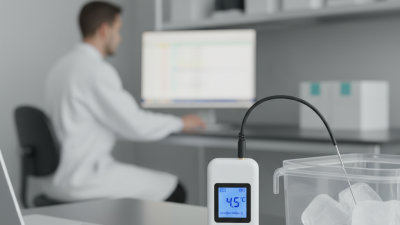
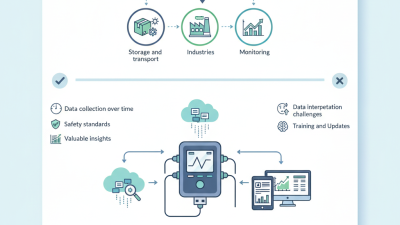
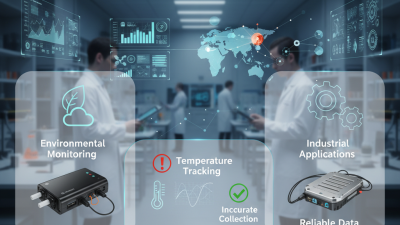
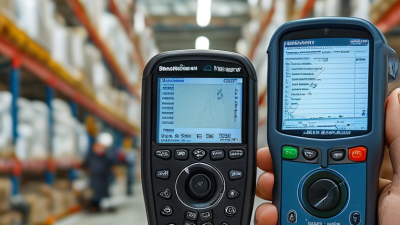
A usb temperature data logger is a compact instrument that records temperature without constant supervision. It usually combines a digital sensor, internal memory, battery power, and a USB connection. After monitoring, users transfer readings to a computer and review them as a table or graph.
The idea is simple. The details are not. A logger placed inside a vaccine cooler may record temperatures every five minutes, while a unit inside a warehouse may sample every fifteen minutes. Sampling intervals, sensor accuracy, memory capacity, and battery life affect the result. So does placement. A sensor beside a cold-air outlet may report a misleading temperature.
William Thomson, Lord Kelvin, a pioneer of precision measurement, stated, “When you can measure what you are speaking about, and express it in numbers, you know something about it.” This principle remains valuable for modern temperature monitoring. A usb temperature data logger turns invisible temperature changes into time-stamped evidence.
Reliable models may support calibration certificates, configurable alarm limits, PDF or CSV reports, and clear software instructions. Yet no device removes every uncertainty. Batteries weaken. Doors open. Sensors drift. That deserves attention.
The logger is not the whole monitoring system. It is one part of it. Users should check calibration status, confirm the recording interval, and inspect the sensor’s actual location. A neat graph can still describe the wrong place.
This article explains how a usb temperature data logger works, where it is used, and which practical specifications deserve careful evaluation. It also considers common mistakes that product descriptions often overlook.
What Is a USB Temperature Data Logger?
Definition and Basic Purpose of a USB Temperature Data Logger
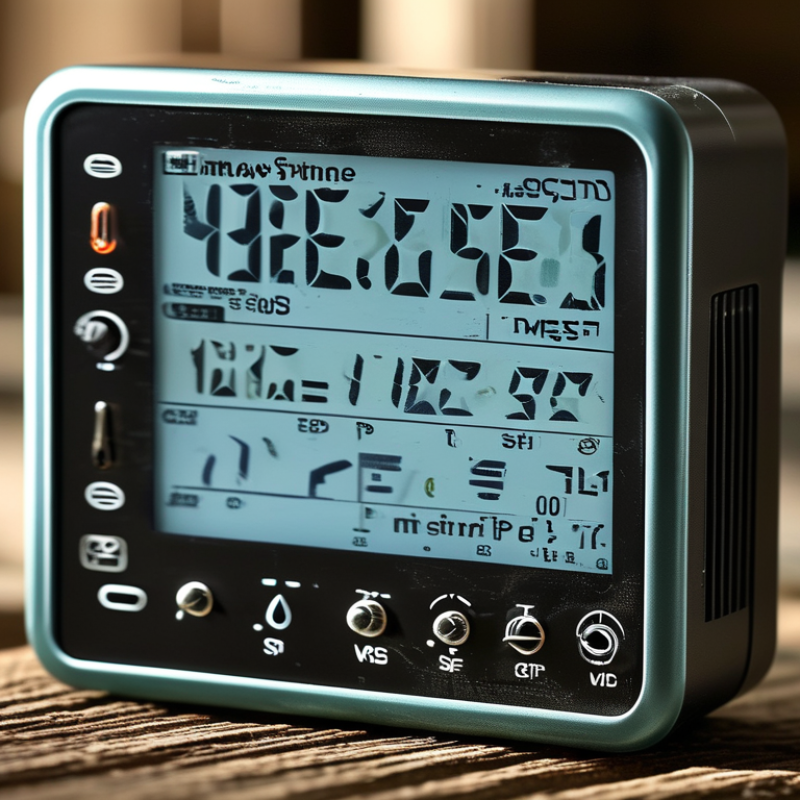
A USB temperature data logger is a compact device that records temperature over time. It uses an internal sensor, memory, and battery to capture readings at set intervals. A user may place it inside a storage room, transport container, laboratory cabinet, or refrigerated package.
Its basic purpose is to create a clear temperature history. Instead of checking a display occasionally, the logger records conditions continuously. When monitoring ends, the device connects to a computer through USB. Its stored data can then be viewed, downloaded, or converted into a report.
The recording interval matters. A five-minute setting shows more detail than a one-hour setting, but it may use memory faster. Placement matters too. A sensor near a door may record frequent temperature changes. A sensor beside a cooling outlet may show an unrepresentative result.
Reliable use requires practical checks. Confirm the battery before deployment. Check the time and date. Review the measurement range and accuracy information. Calibration records can also support quality control, especially in professional environments.
A logger is not magic. It only records the conditions around its sensor. If the sensor is poorly placed, the data may be precise but misleading. USB access is convenient, although damaged ports or incomplete downloads can create avoidable problems. A short test run before actual monitoring often reveals these weaknesses.
A USB temperature data logger is a compact device that measures temperature and stores readings for later review. It usually connects to a computer through a USB port. Unlike a simple thermometer, it creates a time-based record. This record can reveal gradual warming, sudden cooling, or repeated fluctuations.
Inside the logger, a temperature sensor detects changes in its surroundings. Common sensors include thermistors, resistance temperature detectors, and thermocouples. The sensor produces an electrical signal. A measurement circuit converts that signal into a digital value. The logger then applies calibration data and saves the reading with an exact timestamp.
Small details matter. A sensor placed against a cold metal wall may report the wall temperature, not the air temperature. I have seen readings change after a door opened nearby. Placement is critical. So is response time.
Users normally configure the sampling interval before deployment. The device might record every ten seconds, five minutes, or one hour. Its internal memory stores these readings until the USB connection transfers them to analysis software. Some models also show alarm events when temperatures exceed selected limits.
Accuracy depends on calibration, battery condition, sensor quality, and operating range. A logger can appear precise while measuring poorly. That is an uncomfortable but important limitation. For dependable results, compare it with a trusted reference and document the test conditions. Temperature data becomes useful when the measurement method is as clear as the numbers.
What Is a USB Temperature Data Logger?
Key Components and Operating Process
A USB temperature data logger is a compact device that records temperature during storage or transport. Its sensor measures air temperature at programmed intervals. A microprocessor stores each reading in internal memory. A battery powers the unit, while a USB connector transfers data to a computer. Many models also include an LCD screen, alarm indicator, and calibration certificate. These parts must work together. A weak battery can damage an otherwise accurate measurement.
The operating process is simple but needs discipline. A user selects the sampling interval, starts the logger, and places it near the monitored goods. The device then records temperature changes automatically. After delivery, the user connects it to a computer and reviews a report. WHO guidance has linked temperature-control failures to significant vaccine waste, with some estimates reaching 50% globally. That figure shows why continuous records matter. Yet a logger is not perfect. Poor placement, delayed activation, or an overdue calibration can create misleading results. Real conditions are often messier than the manual suggests.
Tips: Place the logger beside the product, not against a cold wall. Check the start time, alarm limits, and calibration date. Keep the original data file. It may reveal problems that a printed summary hides.
| Data Dimension | Key Component or Process | Typical Technical Information | Function in Temperature Monitoring |
|---|---|---|---|
| Definition | USB Temperature Data Logger | A compact electronic device that measures temperature at scheduled intervals, stores readings in internal memory, and transfers the recorded data through a USB connection. | Provides an independent record of temperature conditions during transport, storage, laboratory testing, and facility monitoring. |
| Temperature Sensor | Thermistor, semiconductor sensor, or resistance temperature detector | The sensing element converts temperature changes into an electrical signal. Thermistors are commonly used for compact monitoring because they provide good sensitivity over a defined range. | Detects the surrounding temperature and supplies the primary measurement signal. |
| Measurement Range | Operating temperature range | Common general-purpose models measure approximately −30 °C to +70 °C. The actual range depends on the sensor, housing, battery, and calibration. | Defines the environmental conditions in which the logger can measure safely and accurately. |
| Accuracy | Temperature measurement accuracy | Typical consumer and industrial units may specify approximately ±0.5 °C to ±1.0 °C within part of their operating range. Accuracy can vary with temperature, calibration, and battery condition. | Indicates how closely a recorded value is expected to represent the actual temperature. |
| Sampling Interval | Programmable recording frequency | Intervals commonly range from a few seconds to several hours. A shorter interval captures more detail but uses more memory and battery capacity. | Controls how often the sensor takes and stores a measurement. |
| Microcontroller | Processing and control circuit | A low-power microcontroller manages sensor readings, timekeeping, memory storage, alarm thresholds, and USB communication. | Coordinates the complete operating sequence and converts sensor signals into usable digital records. |
| Real-Time Clock | Timekeeping circuit | An internal clock assigns a date and time to each measurement. Clock drift may occur over long periods and can depend on temperature and power conditions. | Creates a chronological history so users can identify when temperature changes occurred. |
| Data Memory | Non-volatile storage | Flash memory stores measurements without continuous power. Capacity is often specified by the number of readings, such as several thousand to hundreds of thousands of records. | Preserves data for later review, even when the logger is not connected to a computer. |
| Power Source | Battery or USB power | Many portable loggers use a small replaceable or built-in battery. Battery life depends on sampling interval, temperature, display use, and USB activity. | Supplies energy for sensing, processing, timekeeping, memory retention, and alarms. |
| Start Configuration | Setup and delayed start | Before deployment, the user may set the sampling interval, start time, temperature limits, stop condition, and recording mode through software or built-in controls. | Ensures the logger follows the requirements of the monitoring task. |
| Temperature Sampling | Sensor reading cycle | At each scheduled interval, the sensor measures the environment and the electronics convert the signal into a digital temperature value. | Generates the individual data points used to evaluate temperature conditions. |
| Data Recording | Storage of timestamped readings | Each record generally includes a temperature value, date, time, and sometimes status information such as an alarm flag or battery condition. | Builds a traceable temperature profile throughout the monitoring period. |
| Alarm Function | Upper and lower temperature limits | Users can define high and low thresholds. The logger may indicate an excursion with an LED, display message, audible alert, or software flag. | Highlights periods when the measured temperature exceeds the permitted limits. |
| USB Interface | Direct computer connection | A built-in USB connector or USB interface allows the logger to communicate with a computer without requiring a separate communication module. | Enables configuration, data download, device status checks, and in some designs direct power supply. |
| Data Export | Report generation | Recorded data may be exported as a table or file for viewing, analysis, printing, or archiving. Common formats include CSV, PDF, or software-specific reports. | Turns stored measurements into a readable record for quality control and documentation. |
| Calibration | Accuracy verification | Calibration compares the logger with a reference thermometer under controlled conditions. A calibration interval is determined by the application, risk level, and quality system. | Helps confirm that the device continues to produce reliable measurements. |
| Common Applications | Transport, storage, laboratories, and HVAC checks | Typical uses include monitoring food, pharmaceuticals, biological samples, warehouses, refrigerators, freezers, and temperature-sensitive shipments. | Provides evidence that products or environments remained within required temperature conditions. |
| Important Limitations | Placement, condensation, shock, and calibration status | The logger should be positioned where it represents the monitored item or space. Extreme humidity, direct contact with cooling surfaces, physical damage, and expired calibration can affect results. | Identifies factors that may reduce measurement accuracy or invalidate the recorded data. |
What Is a USB Temperature Data Logger?
A USB temperature data logger is a compact device that records temperature at scheduled intervals. It often travels inside a shipment or sits in a storage cabinet. After monitoring, staff connect it to a computer and retrieve a time-stamped report. This evidence helps identify temperature excursions during transport, storage, or testing. It does not control temperature.
Healthcare teams use these loggers with vaccines, blood components, and laboratory samples. WHO technical guidance states that most vaccines require storage between 2°C and 8°C. A short overnight spike can trigger an investigation, even when cartons look normal. Pharmacies and clinics also use records during refrigerator checks and quality audits. The logger can reveal repeated door opening or weak cooling cycles. The weak point is placement. A sensor near a fan may not represent the product’s actual exposure.
Food producers install loggers in chilled rooms, transport containers, and receiving bays. The 2024 UNEP Food Waste Index Report estimated 1.05 billion tonnes of food waste in 2022. Temperature records cannot prevent every loss, but they can show where handling fails. Museums and archives monitor storage rooms because heat can accelerate material damage. Laboratories use the records to verify incubators and support repeatable test conditions. Some teams download data only after a complaint. That delay limits learning. A stronger process reviews alerts daily, checks calibration, and records corrective actions.
A USB temperature data logger records temperature at scheduled intervals and stores the readings for later analysis. The chart shows typical temperature bands monitored in several industries; actual limits vary by product, process, and operating procedure.
Typical monitoring bands shown in °C: refrigerated transport, frozen storage, pharmaceutical refrigeration, ambient pharmaceutical storage, laboratory incubators, and commercial indoor environments.
What Is a USB Temperature Data Logger?
A USB temperature data logger records temperature at set intervals and stores readings in internal memory. It is useful for shipments, laboratories, storage rooms, and equipment checks. After monitoring, users connect the logger to a computer and review or export the data. The process is simple, but selection requires more than checking the lowest price.
Important Features and Selection Considerations
Check the temperature range, accuracy, resolution, and sampling interval first. A logger measuring between -30°C and 70°C may suit general storage, while frozen goods need lower limits. Accuracy should match the risk of the application. A 0.1°C display does not guarantee 0.1°C accuracy. Look for memory capacity, start and stop options, alarm indicators, and clear report software. A calibration certificate adds confidence, especially when records support quality inspections. Battery life also matters. A device that stops during a two-week shipment creates an uncomfortable gap.
Physical protection deserves attention. A sealed housing can resist dust and moisture, but it may not survive immersion. USB covers are easy to lose. That small detail can damage field reliability. In practical checks, placing the logger beside the product often reveals temperature changes better than mounting it near a door. Avoid direct sunlight, vents, and warm vehicle walls. No logger is maintenance-free. Verify its clock, inspect the battery, and compare readings with a trusted reference periodically. A broader range is not always better; dependable accuracy in the actual working range matters more.